
Features

Everything your band needs, from rehearsal to stage.

Synchronized live music stand

The heart of Live Band Toʻere. One musician leads the session; all others follow in real time.
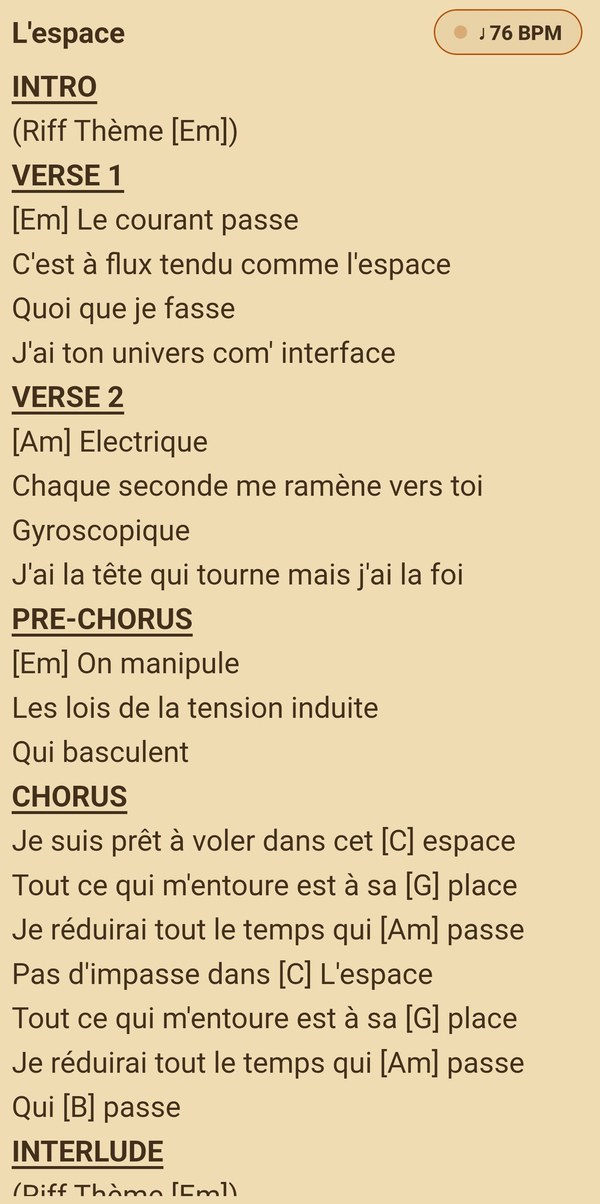
  • Instant page turning on all devices
  • Song changes driven from the setlist
  • “Synced / Out of sync” badge to know where you stand
  • Screen stays on and full screen during session
  • Web follow mode: no app needed, just a browser and a code
  • Visual metronome: a marker that pulses to the song's tempo
  • “Read at my pace”: a musician can detach, navigate on their own, then return to the leader
The Live Band Toʻere synced reading screen

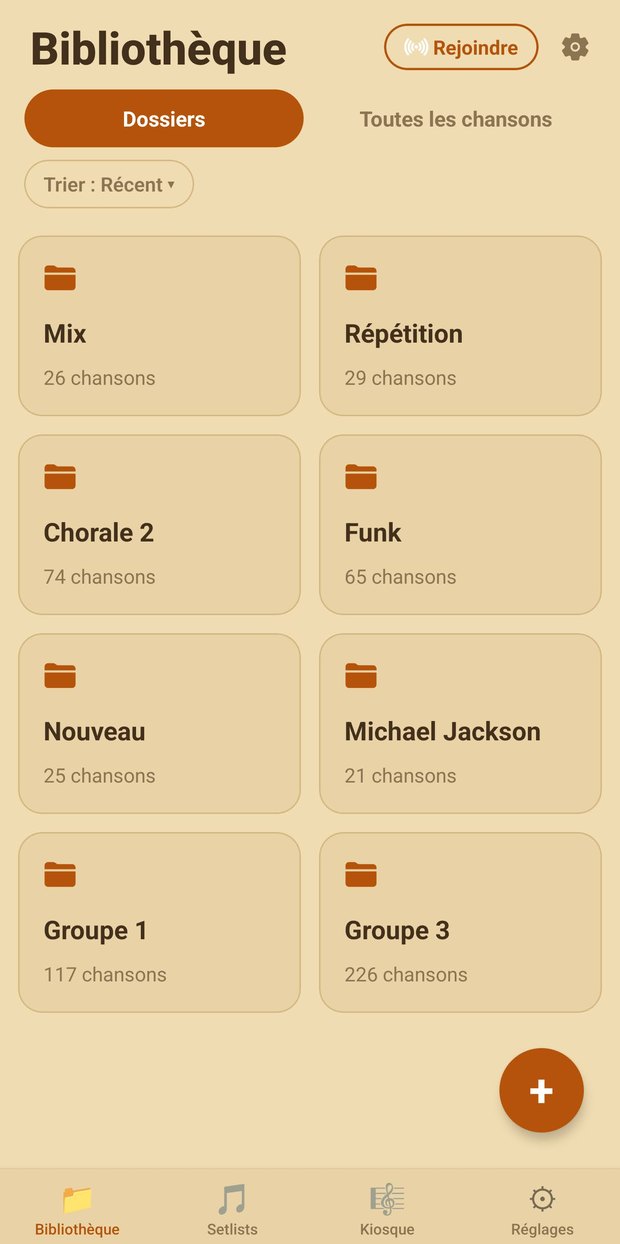
Shared cloud repertoire

The library belongs to the band.

  • Folders, songs, and setlists synced between members
  • Import EPUB / PDF: several files at once, or a whole Google Drive folder
  • Offline reading once songs are downloaded
  • Comfortable reading: 6 themes, 8 fonts, text size, bookmarks and saved position
  • Search and sort your library and setlists
  • Hide chords: lyrics only, for choirs and choral groups
  • Kiosque: a community-shared pool of sheet music, with search
  • Online Studio: ChordPro entry → EPUB, no notation software
The band's library, sorted into folders

Fan base & song requests

Turn your audience into a community, no external tool needed.
  • QR code displayed at the gig → audience requests a song
  • Requests arrive in real time; accept with a tap
  • Permanent fan page with your name (your-band) to follow you
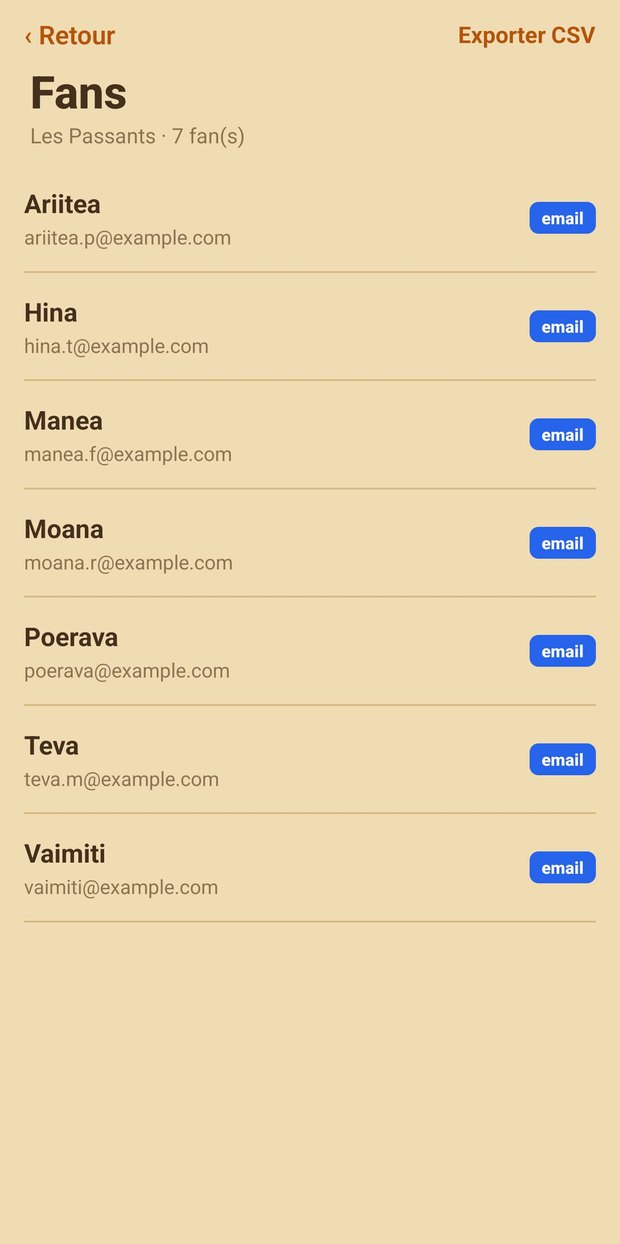
  • Fan base private to your band, GDPR compliant
The band's fan base, built from the QR code shown at gigs

Email campaigns

Stay connected with your fans between gigs.
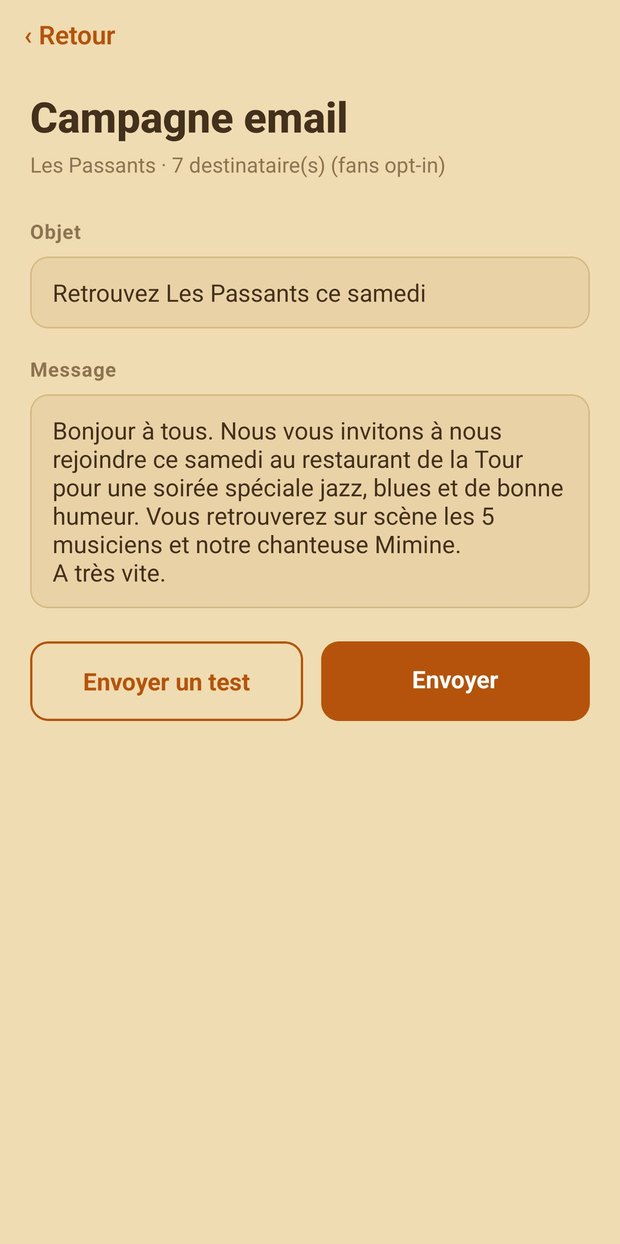
  • Compose and send an email to all your subscribed fans
  • From the mobile app or web dashboard
  • Automatic unsubscribe link
  • CSV export of your fan base
Writing an email campaign inside the app

Setlists built for the stage

Prepare, tidy up, and recompose your sets without ever starting from scratch.
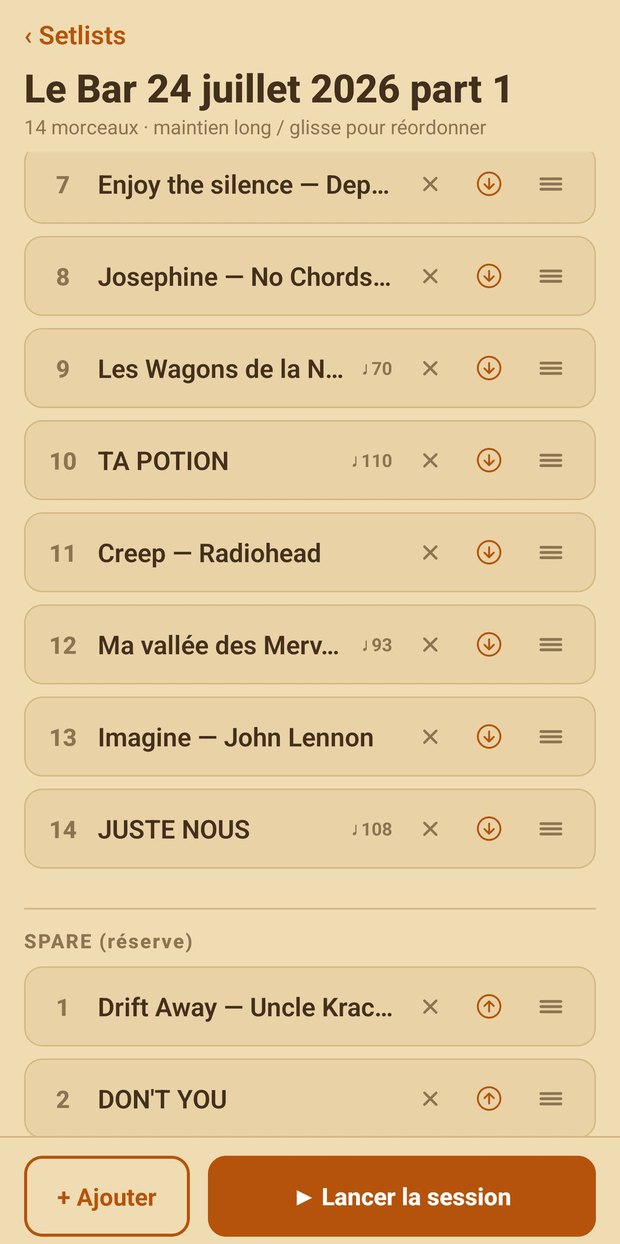
  • Main set + reserve: keep songs “on standby” alongside the set
  • The audience picks: from the fan page, they can request a song from the reserve
  • Archive / restore: tuck away old sets without losing them
  • Duplicate a setlist to start from an existing base
  • Assemble several setlists into a new one, in one move
A setlist with its spare section and each song's tempo

Why EPUB for musicians?

The format that turns a tablet into a real stage music stand.

Why EPUB rather than PDF?

PDF is a fixed image: on a tablet, you have to zoom and scroll around the page. EPUB is reflowable — the text adapts to the screen. You can increase the font up to 48px to read lyrics and chords from a distance, without zooming or horizontal scrolling.

How does the live sync stay so precise?

EPUB identifies each exact position in the song (CFIs). That’s what Live Band Toʻere broadcasts during a session: the leader shares their position down to the character, and the other tablets follow automatically. A PDF only syncs by page — much coarser.

Is page turning fast enough on stage?

A lyrics/chords songbook in EPUB contains only structured text, not page images. Result: page turning is under 200ms — the threshold to never lose your place mid-song.

How are songs organized?

Each EPUB has its own table of contents: one chapter = one song. You find a title instantly via search, build your setlists by picking from it, and switch songs with a single tap.

Can I create my own songbooks?

Yes. EPUB is an open standard: you can generate yours from a simple Word document, Google Docs, or Markdown — or straight from ChordPro in the Studio (chords in brackets, sections as directives). Your repertoire, your way.

Does it work on all tablets?

On 8, 10, or 12-inch screens, EPUB adapts to the display. Each musician can have a different device and keep a clean display — where a PDF would be too small on one and poorly framed on another.

Learn more about EPUB for musicians →

Try it with your band

Free to start. Install the app and invite your musicians.

Install the app →